

COBRA Forms Generator
Green Financial HR Portal Toolbox
The following are instructions on how to access the COBRA Notice Generator service provided by Green Financial:
Log into Green Financial HR Portal: GreenFinancial.SecureClient.net
(If you don’t already have log in credentials, simply email us to request Julie@GreenFinancial.com)
After logging in, go to: Toolbox, then click on the Launch button:

You’ll see a list of “Tools” available to use in this section; scroll down to COBRA Notices Generator and click on the Launch button:

It takes a minute for the tool to launch, but you’ll see the following once it loads:
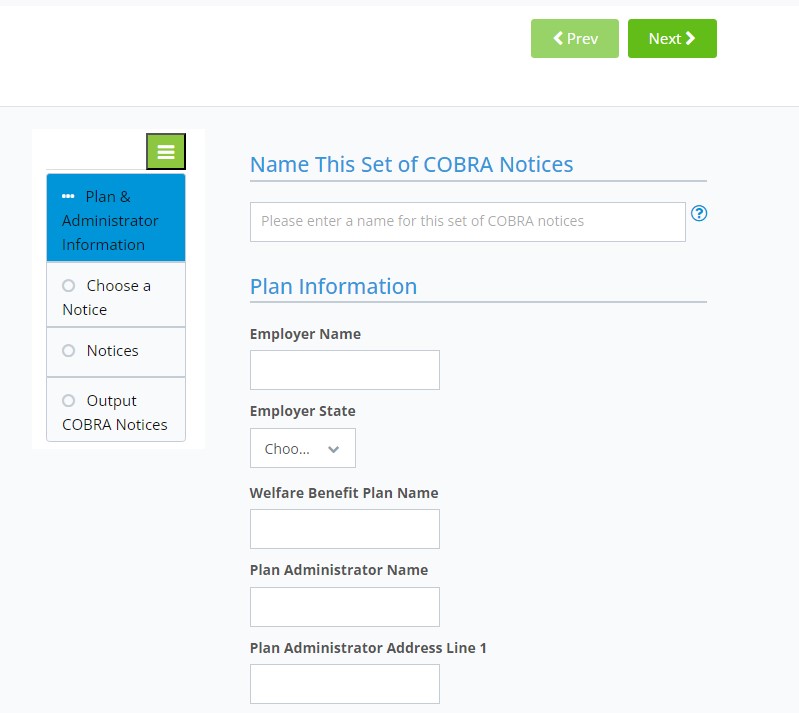
Follow the steps and the last step will be to download the notice as a word doc or pdf.
Employers should send notices by first-class mail, obtain a certificate of mailing from the post office, and keep a log of letters sent. Certified mailing should be avoided, as a returned receipt with no delivery acceptance signature proves the participant did not receive the required notice.
Please refer to the our COBRA Compliance Toolkit for help with completing notices.
Contact us if Questions or for Assistance